Sentiment Analysis for Excel
Analyze text sentiment directly in Excel spreadsheets.

Overview
Sentiment analysis classifies text as having positive or negative overall sentiment. Common use cases include customer support, market research, and financial analysis.
Features
| Feature | Description |
|---|---|
| 💻 Local | Analysis runs in your spreadsheet, not the cloud |
| 🤗 Open Source | Uses models from Hugging Face |
| 🆓 Free | Unlimited free processing |
| 🔒 Private | Your data stays in your spreadsheet |
Basic Usage
- Select a column of text to analyze
- Click the Analyze button in the taskpane
- Results appear in a new sheet
Advanced Usage
- Choose from four different sentiment analysis models
- Optionally split paragraphs into individual sentences
Instructions
Getting Started
- Install the add-in, then open the taskpane by clicking the 🙂 icon in the ribbon
- Select the range of cells containing text to analyze (must be a single column, no row limit)
- Click Analyze—a new sheet is added to hold the results
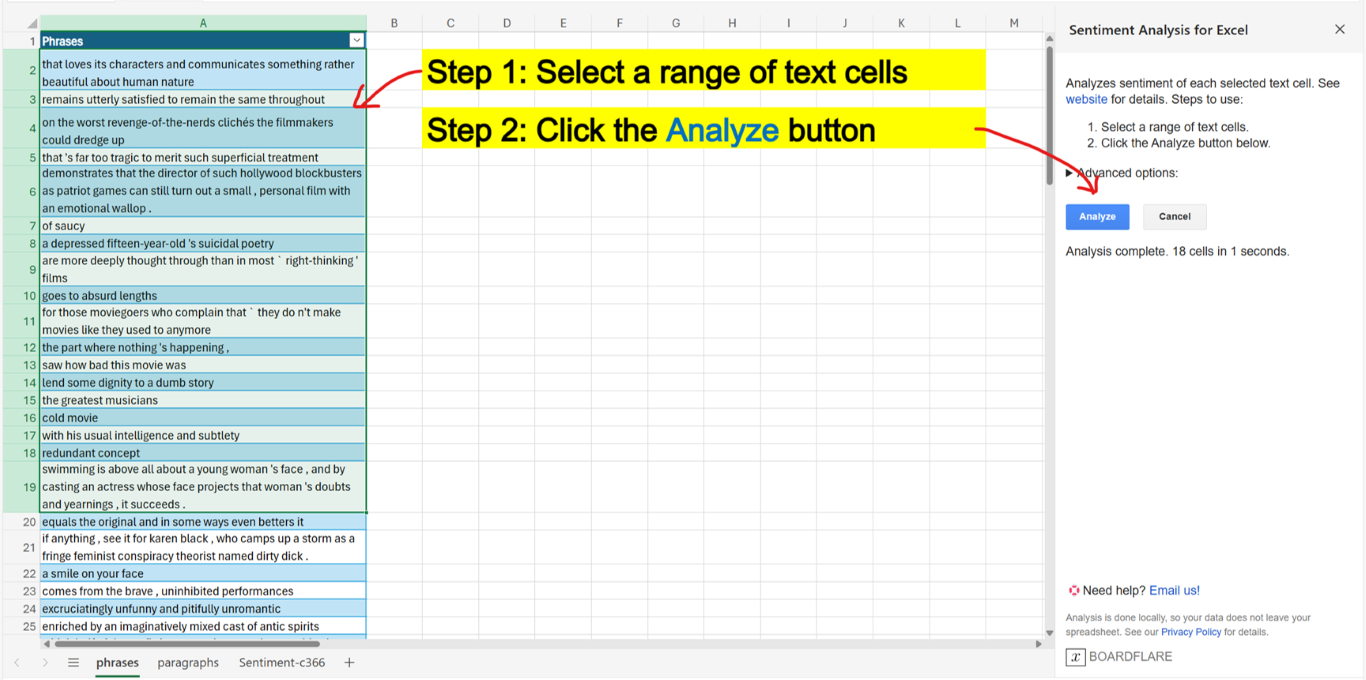
- On first use, the model downloads from Hugging Face (takes extra time). Subsequent uses are faster as the model is cached in browser storage.
- Results appear progressively as analysis runs
- Click Cancel at any time to stop and start over
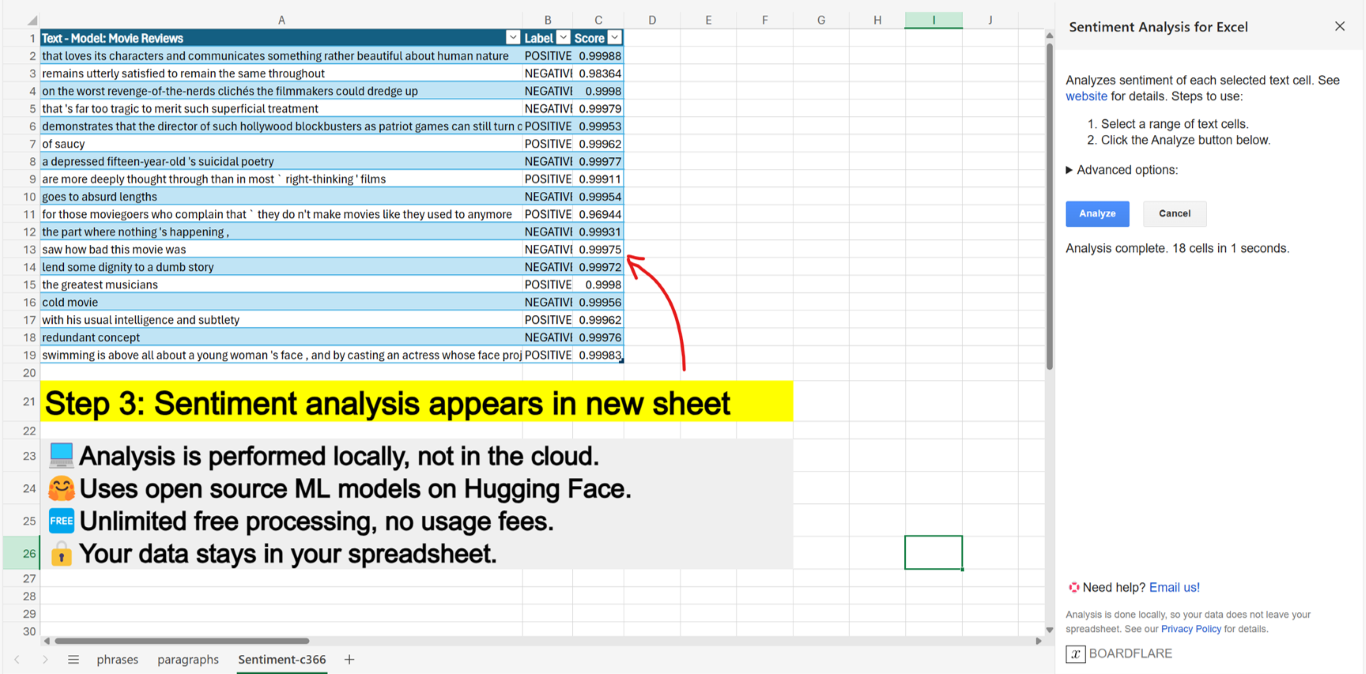
Output Format
| Text - Model: Movie Reviews | Label | Score |
|---|---|---|
| I really enjoyed it. | POSITIVE | 0.99 |
| This is the worst movie I've ever seen. | NEGATIVE | 0.99 |
| I liked Karim, but story was awful. | POSITIVE | 0.70 |
| Column | Description |
|---|---|
| Text | Copy of selected text, with header showing model used |
| Label | Sentiment label (POSITIVE or NEGATIVE) |
| Score | Confidence score (0 to 1). Higher = more confident |
Note: In the example above, the model is less confident about the last row because it contains mixed sentiments.
Advanced Options
Toggle Advanced options to reveal:
| Option | Description |
|---|---|
| Model selection | Choose from Movie Reviews (default, general-purpose), Product Reviews (multi-language), Finance News, or Twitter Messages |
| Split into sentences | Uses sentence boundary detection to analyze individual sentences—useful for paragraphs with mixed sentiments |
Tip: We're exploring Aspect-based Sentiment Analysis as a more powerful solution for mixed-sentiment text.