flowchart LR
    subgraph Saved_with_workbook[Saved with the Excel workbook]
      A[Notebook source]
      B[Saved presentation: Edit or App]
      C[Worksheet formulas such as BF.OUTPUT / BF.FUNCTION]
    end

    subgraph Rebuilt_on_open[Recreated when the notebook runs]
      D[Pyodide / Python kernel]
      E[marimo reactive graph]
      F[Workbook input subscriptions]
      G[Anywidget models]
      H[Published values + callables]
    end

    A --> D
    B --> E
    D --> E
    E --> F
    E --> G
    G --> H
    C --> H
App Mode and Sharing
Present a saved notebook with Open as: App, understand what App mode changes, and validate a workbook before sharing it with other Excel users.
App mode is an optional presentation of the same notebook, not a separate application or security boundary. Use it when another user should interact with controls and outputs without the full authoring surface, then validate the saved workbook in Excel before distribution.
App mode
App mode is an optional presentation of the same notebook. It is useful when a notebook has become a repeatable application or internal workflow and another user should focus on controls, explanations, tables, charts, and outputs rather than editing Python source.
It is not a separate application project and it is not required to receive value from the notebook.
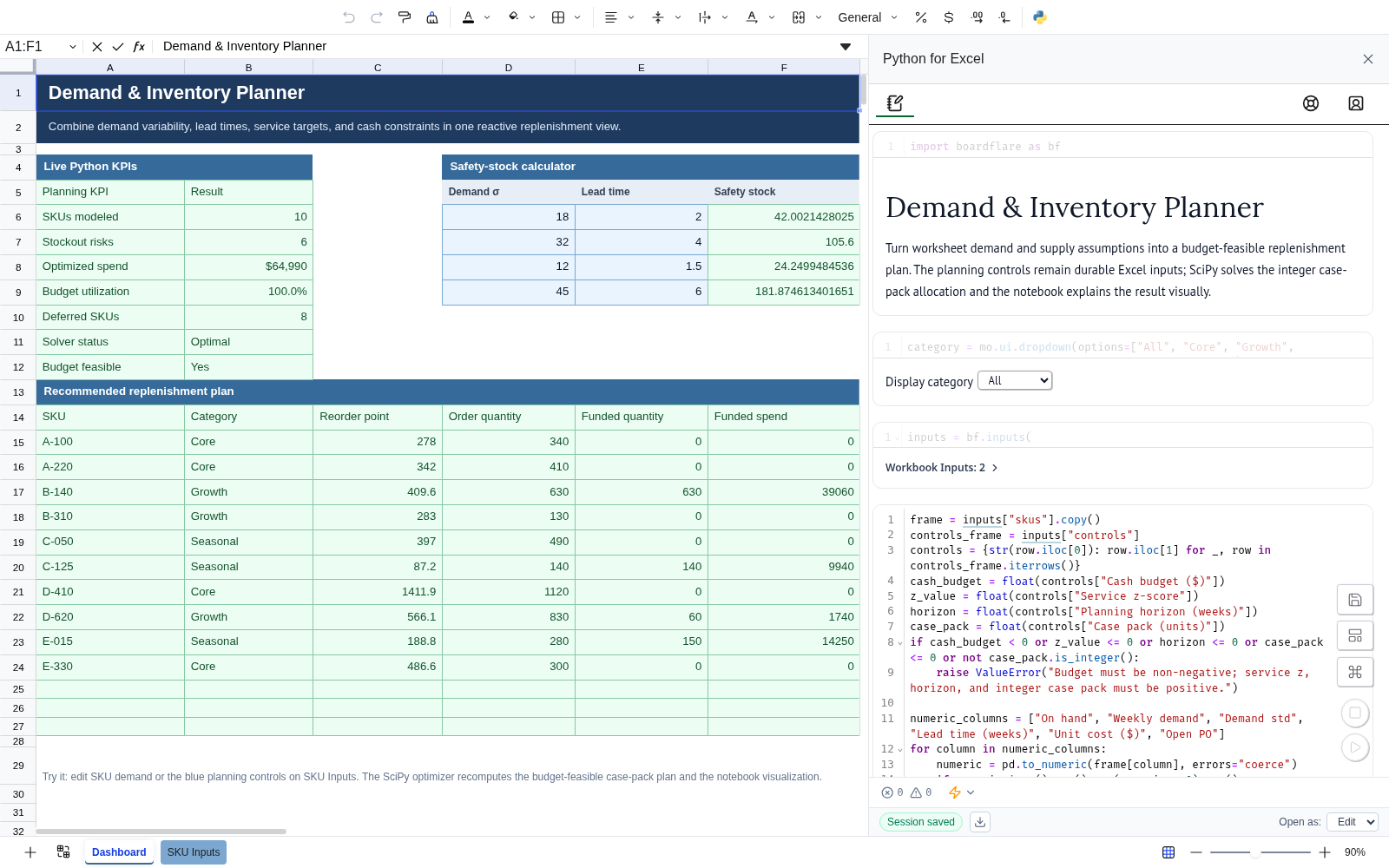
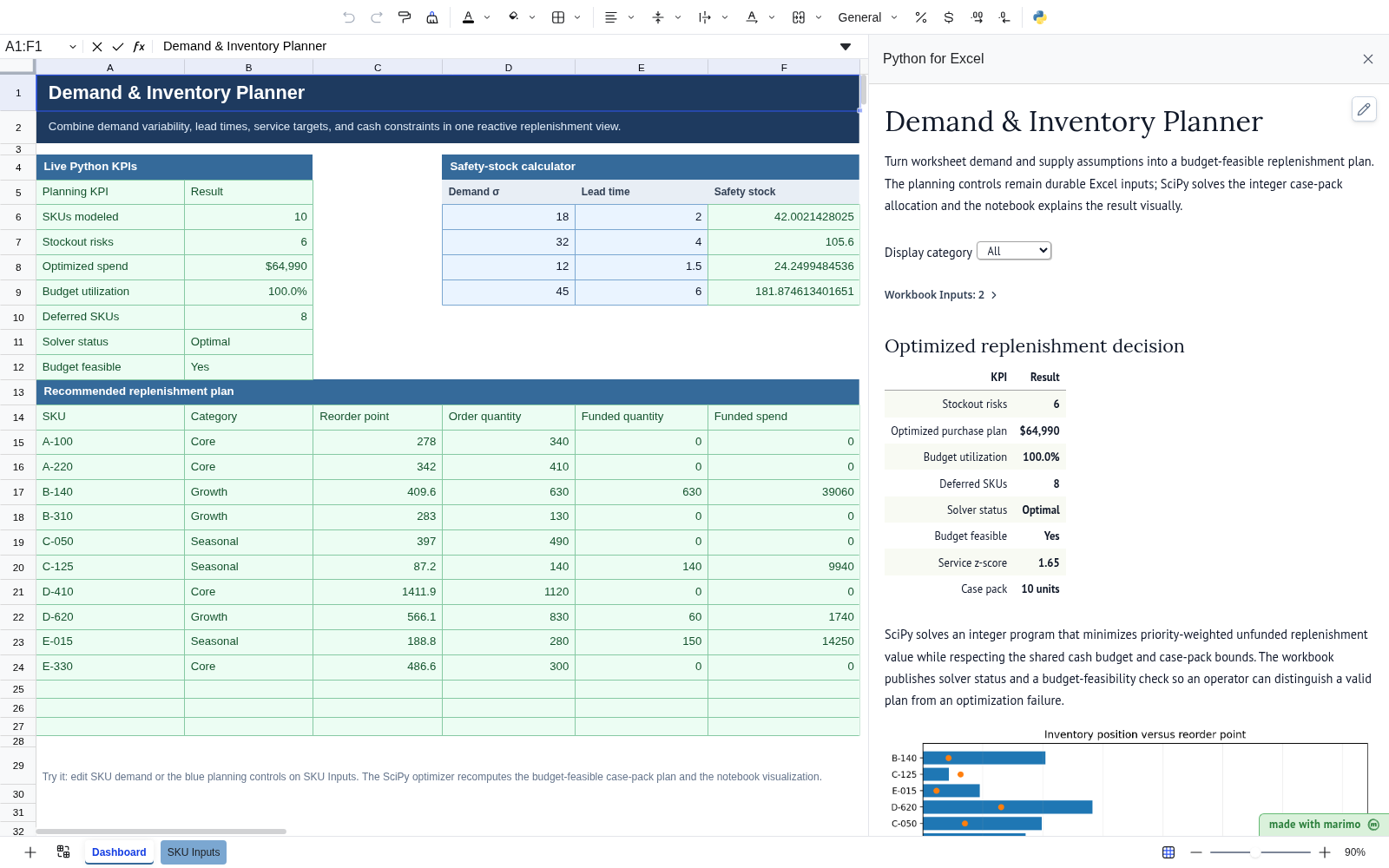
The change is primarily presentation: the authoring controls disappear, while notebook controls, explanations, tables, charts, and reactive outputs remain available to the workbook user.
Choose Open as: App
In an Edit session:
- save the notebook at least once;
- choose App from Open as: in the Boardflare footer;
- save the notebook again;
- wait for Boardflare to report Saved;
- reopen the notebook.
The next session opens in the focused app-style presentation.
Changing Open as does not switch the current session. The setting is a saved startup preference.
Return to editing
In App mode, use the pencil/edit action to open a fresh Edit session for the current session.
That action does not silently change the saved opening preference. If the workbook should open in Edit mode next time, choose Open as: Edit and save that preference from an Edit session.
What App mode changes
App mode hides the normal Boardflare navigation/status footer and presents the notebook as a full-pane read-style experience. Notebook controls and reactive outputs remain useful because they are part of the notebook itself.
A good App-mode notebook usually emphasizes:
- clear instructions and Markdown;
- controls with business labels;
- important result tables and charts;
- validation or warning messages;
- minimal implementation detail in the visible presentation.
What App mode does not change
App mode is not:
- source-code protection;
- a permissions boundary;
- a separate deployed application;
- a replacement for reviewing executable workbook source;
- a requirement for
BF.OUTPUT()orBF.FUNCTION().
The saved notebook source still travels with the workbook and should be trusted like other executable code.
When to use it
Use App mode when the notebook has become a repeatable interactive tool for someone who does not need the authoring surface.
Stay in Edit mode when the primary job is analysis, model development, debugging, explanation, or ongoing notebook maintenance.
See Sharing and trust before distributing a workbook that contains executable notebook source.